WebFree Verified

Project Knowledge Graph Web Page

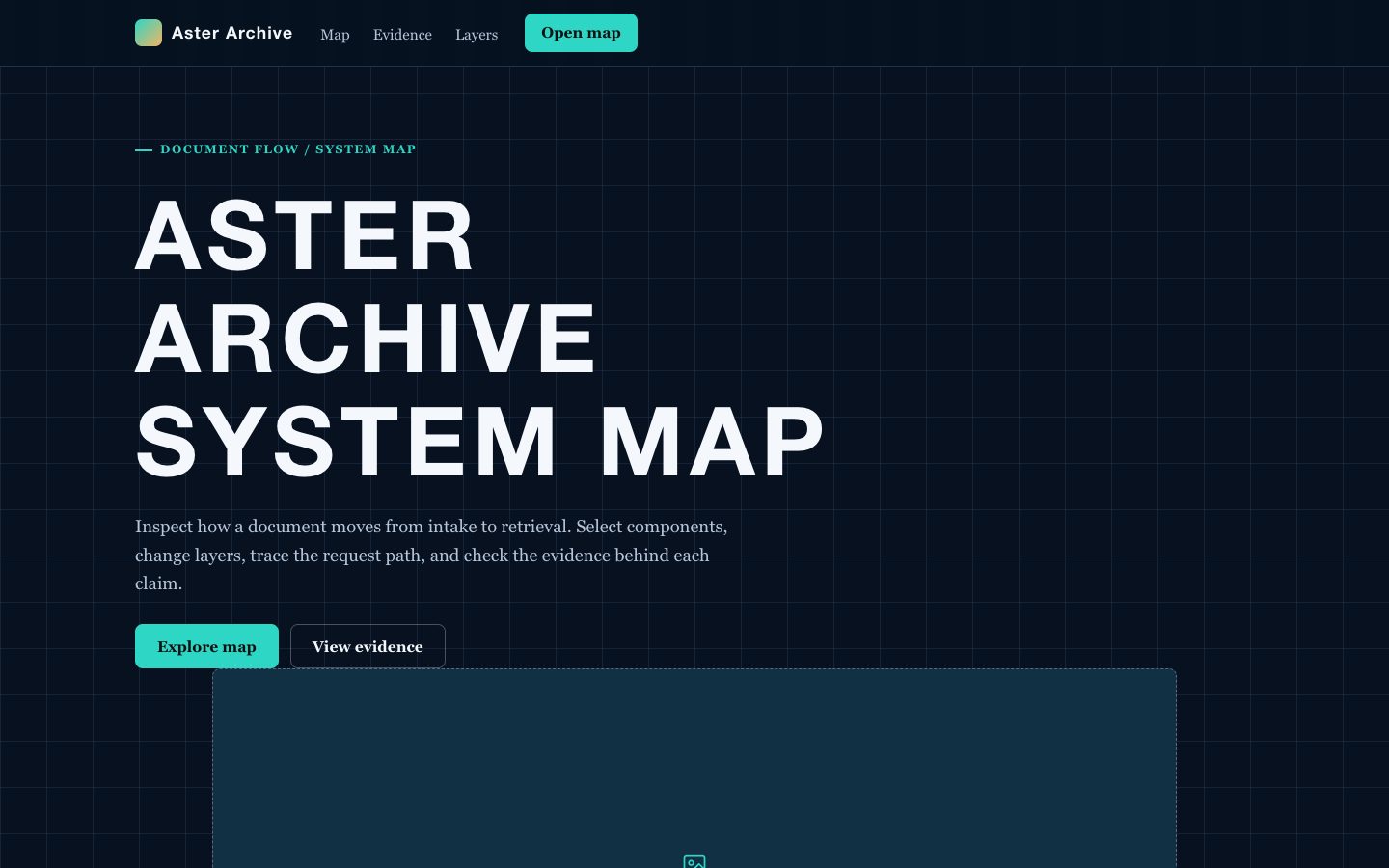
A source-faithful web page for turning project evidence into an executive-readable knowledge graph. It combines claim cards, entity relationships, milestone context, confidence signals, and citation trails in a distinctive dark constellation canvas.

What you get

  • A central project thesis with connected evidence clusters and dependency paths.
  • Citation-led claim cards with source, date, owner, and confidence context.
  • Responsive relationship blocks for milestones, risks, decisions, and technical entities.
  • Executive summary language that preserves the distinction between fact, inference, and open question.
  • A self-contained page structure that can be ported to React, Vue, or utility CSS.

Good fit

  • Client or executive reporting where decisions need traceable evidence.
  • Research and technical communication with many linked sources and dependencies.
  • Project status pages that must expose assumptions, risks, and lineage clearly.

Not for

  • Unverified content with no source inventory or evidence trail.
  • Brand-led campaign pages focused on visual emotion instead of project reasoning.
  • Private graph exploration tools requiring authentication, editing, or live collaboration.

What you provide

  • A project question or executive decision context.
  • A source list with claims, quotations, dates, and provenance.
  • The key entities, dependencies, milestones, risks, and unresolved questions.
  • The intended audience and any terminology or confidentiality requirements.

Requirements

  • A modern browser
  • Node.js 20+ for the validator

Running cost

No external services. Runs entirely on your agent.

Try this prompt

/sl-project-knowledge-graph-web-page Create an Axiom Atlas page for executives exploring HelioGrid evidence: navigation, split hero, six-source register, four evidence features, a thesis, four program stats, four source-to-decision steps, four evidence clusters, three open questions, CTA, and footer, in that order. Use headline “Every decision has a trace.” and closing CTA “Make the evidence legible.” Style: dark canvas, mint facts, blue relationship lines, [S1]-[S6] claim markers.

Follow-up prompts

  • Add a technical lineage section showing how ingestion, validation, modeling, and reporting depend on one another.
  • Rewrite the evidence clusters for a board audience while keeping every source key and uncertainty label intact.
  • Create a mobile-first version where the graph becomes a numbered evidence trail with expandable source details.

Verification

Verified

render-checkpass4.0 / 512s

FAQ

Can the page show uncertainty instead of presenting every claim as fact?

Yes. The structure supports confidence labels, unresolved question blocks, and explicit distinctions between sourced facts, analyst interpretation, and pending validation.

What makes this different from a generic project dashboard?

The page is organized around relationships and provenance. Each important statement has a visible route to its source, while dependencies and decisions explain why the information matters.

Can a large source set be summarized for executives?

Yes. Lead with a concise thesis and implications, then expose selected evidence clusters and source keys so readers can move from decision context to technical detail.

SKILL.md

SKILL.md

Project Knowledge Graph Web Page

Create a source-faithful project knowledge graph page that turns scattered evidence into a navigable constellation of claims, entities, dependencies, and citations.

Style: Constellation Ledger. A dark research instrument where evidence, relationships, and project decisions form a precise illuminated constellation. Follow references/style-guide.md exactly.

Use this skill when

  • Client or executive reporting where decisions need traceable evidence.
  • Research and technical communication with many linked sources and dependencies.
  • Project status pages that must expose assumptions, risks, and lineage clearly.

Do not use

  • Marketing landing pages that need emotional persuasion without source-backed project content.
  • Unstructured brainstorm boards, generic mind maps, or pages where claims cannot be traced to evidence.
  • Highly decorative data visualizations that hide uncertainty, provenance, or relationship direction.
  • To reproduce another company's brand, logo, product UI or copyrighted characters.

Inputs

  • Project name, reporting audience, and the decision or research question the page must support.
  • Source inventory with URLs, documents, owners, dates, and quoted evidence or extracted claims.
  • Entities, milestones, risks, dependencies, and unresolved questions to represent in the graph.
  • Preferred emphasis, such as executive summary, technical lineage, delivery risk, or research confidence.
  • Any required terminology, confidentiality labels, and responsive content constraints.

If something essential is missing, ask one short question before starting. Never invent facts, numbers, quotes or customer names; mark gaps as [needs source].

Workflow

  1. Read the brief and references/section-library.md. List the sections the page needs, in order, before writing any markup.
  2. Copy references/template.html to index.html. Delete the sections the brief does not need; reorder the rest.
  3. Apply the tokens from references/style-guide.md in the :root block. Do not introduce colors, fonts or radii outside the tokens.
  4. Write real copy from the user's brief for every REPLACE_ placeholder, inside the word limits. Never invent customer names, logos or numbers; label fictional testimonials and figures as sample content.
  5. Check the layout at 390px, 768px and 1280px wide: no horizontal scrolling, readable type, tap targets at least 44px.
  6. If the user works in React/Next.js, Vue or Tailwind, port the result with references/framework-adaptation.md after the HTML version passes.
  7. Run the validator and fix every problem it reports:

``bash node scripts/validate-html.mjs index.html ``

  1. Open the file in a browser (from file://) and check keyboard focus, the FAQ toggles and the mobile menu.

What makes this excellent

  • Start with a source register and convert every important claim into a concise node with an adjacent citation key.
  • Organize the page around one central project thesis, then expose dependencies, evidence clusters, and unresolved questions in a deliberate reading order.
  • Use the visual canvas to distinguish entities, claims, decisions, and sources through block treatment, connector direction, and accent color.
  • Write executive copy that states implications first, while preserving a visible path back to the supporting source and date.
  • Include confidence or status language where evidence is incomplete; never imply certainty that the supplied sources do not support.
  • Make the graph legible on narrow screens by stacking clusters into an ordered evidence trail without losing source labels.
  • Keep fictional sample content internally consistent across milestones, stakeholders, sources, and technical dependencies.

Output contract

  • index.html: one self-contained HTML file (inline CSS, inline SVG, no network requests, no storage APIs) that opens from file://.
  • Exactly one <h1>, labelled form inputs, alt text on every image, no REPLACE_ placeholders or filler text.
  • Responsive at 390 / 768 / 1280px, using only the style-guide tokens.
  • A hand-off note: sections used, any sample content that must be replaced, framework port (if any) and the validator output.
  • Deliver one responsive page with a dark knowledge-canvas composition, clear graph-like relationships, and source markers attached to substantive claims.
  • Use self-contained HTML, CSS, and JavaScript or a directly portable component implementation with no required network assets.
  • Preserve supplied source wording for quotations and distinguish extracted facts from editorial interpretation.
  • Ensure every major visual cluster has a readable mobile order and that no connector or citation label obscures content.

Reference demo and agent run

The preview (preview/demo.html) is a static reference built from sample content: it shows the layout, style, copy structure and the visible controls every interactive part needs (labelled form fields, carousel buttons, player chrome). Image areas are labelled placeholders and sample quotes or figures are marked as samples. In a real run the agent uses the user's content and assets, wires behaviour (form destinations, media sources, data) and keeps every promise in the output contract above.

Failure rules

  • Never hand over a file that fails the validator; fix it and run it again.
  • If the brief lacks facts (prices, numbers, customer names), ask once; otherwise mark them clearly as sample content.
  • Do not reproduce another company's website, logo or copy, even if asked to "make it look like" one; build an original page in this style instead.

Similar skills