 视频已验证
暗场 Agent 发布片
支持的 Agent: Claude Code、Cursor、OpenCode、Codex、Gemini CLI


全部付费技能 $9.99/月,随时取消。
立即升级
用它做一支视频。
在终端运行(首次请先执行 npx skillloom-cli login):
npx skillloom-cli install sl-minimal-cinematic-launch-film更新于 2026年10月27日

 视频已验证+2
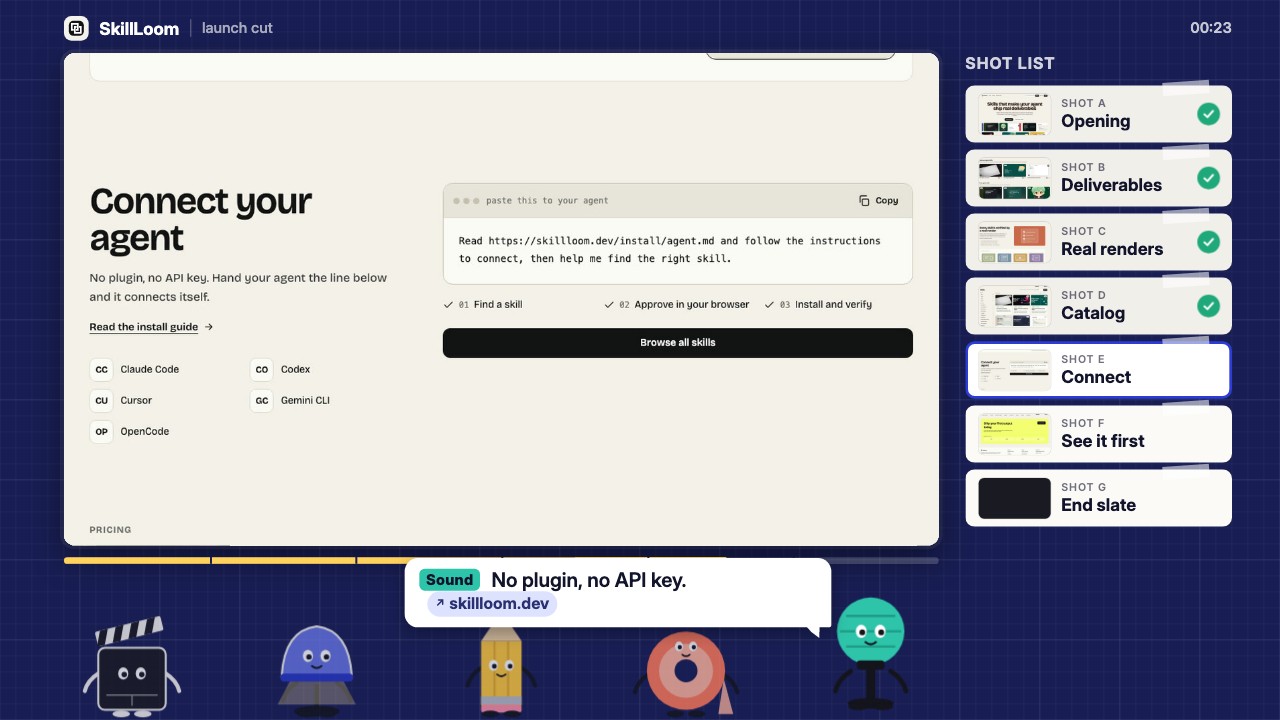 视频已验证+2
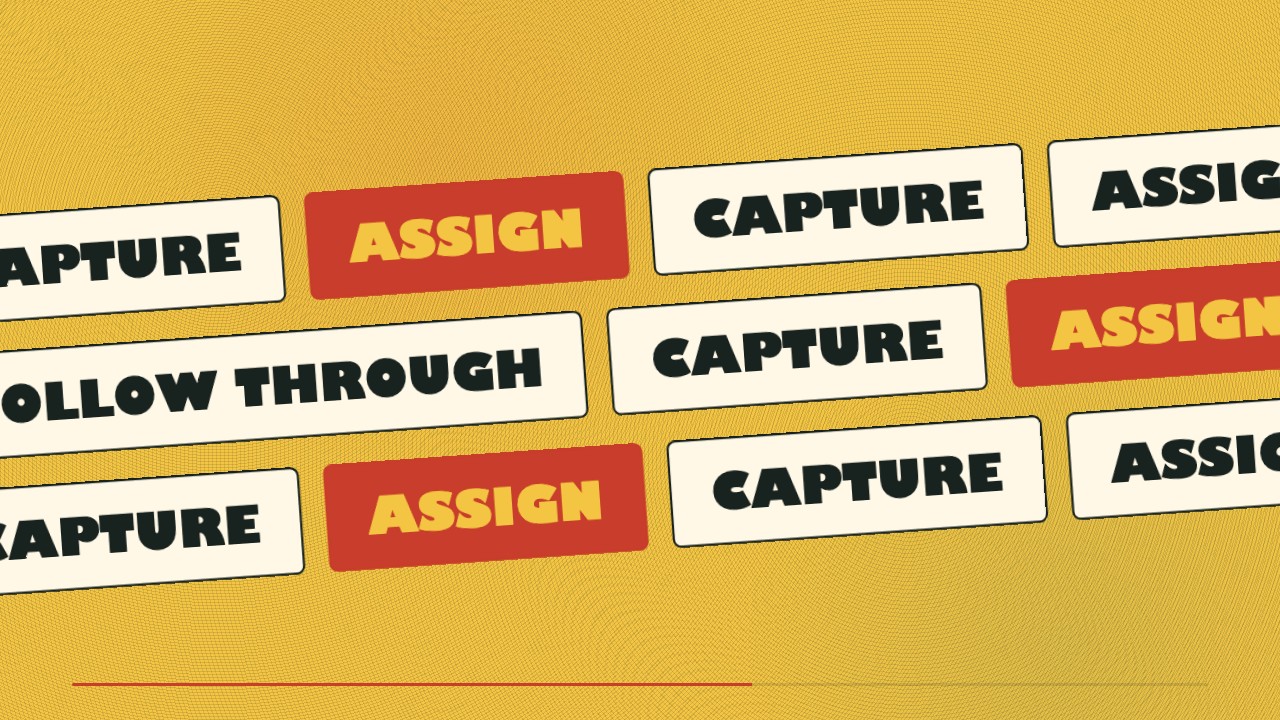 视频已验证+2
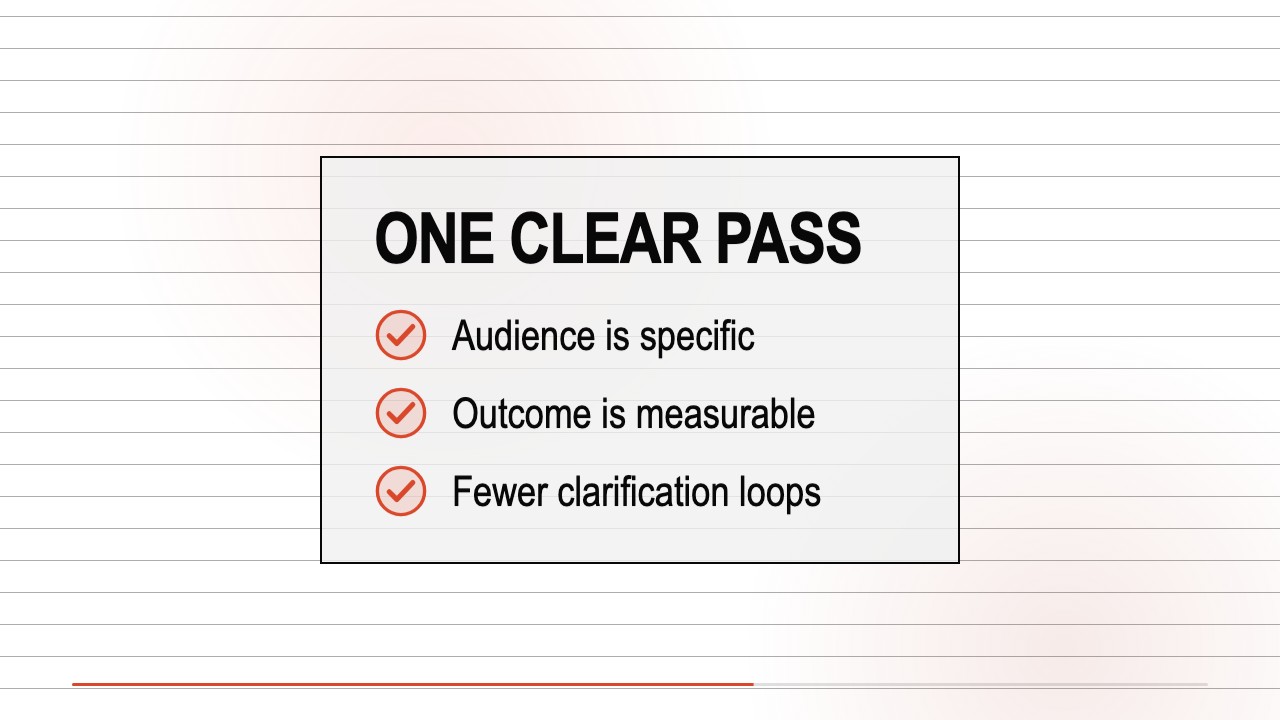 免费视频已验证+2
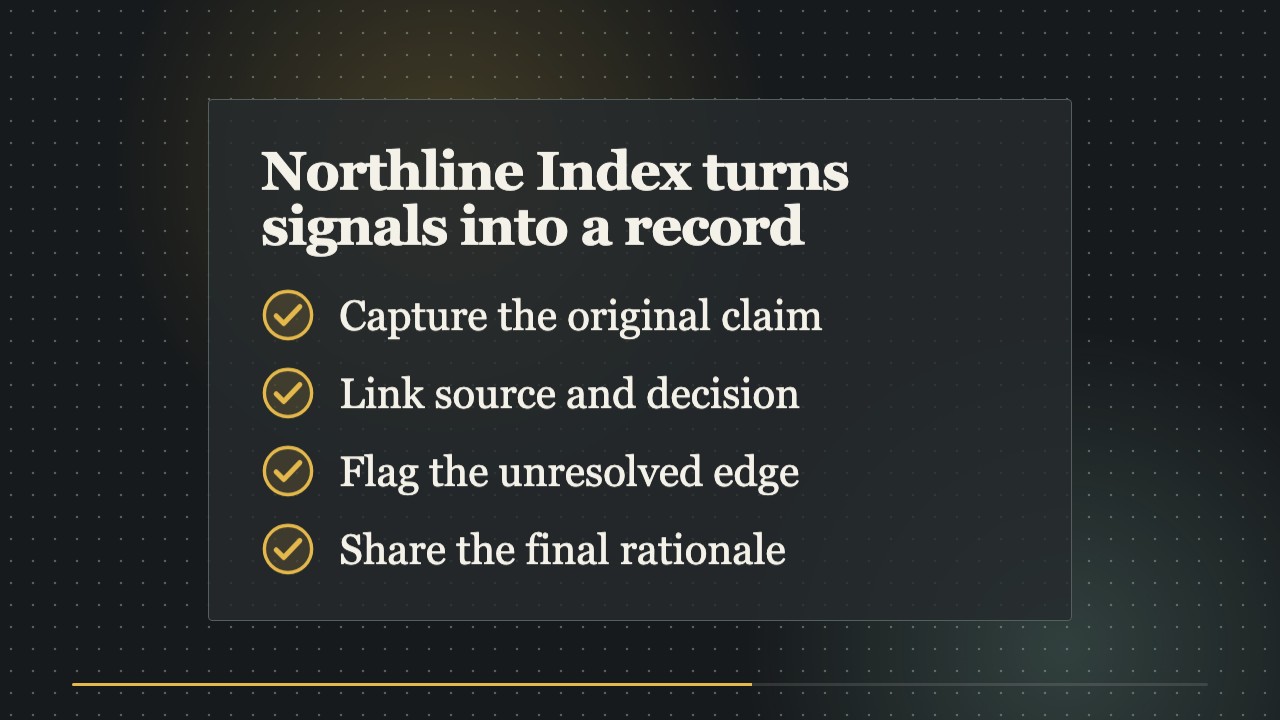 视频已验证+2
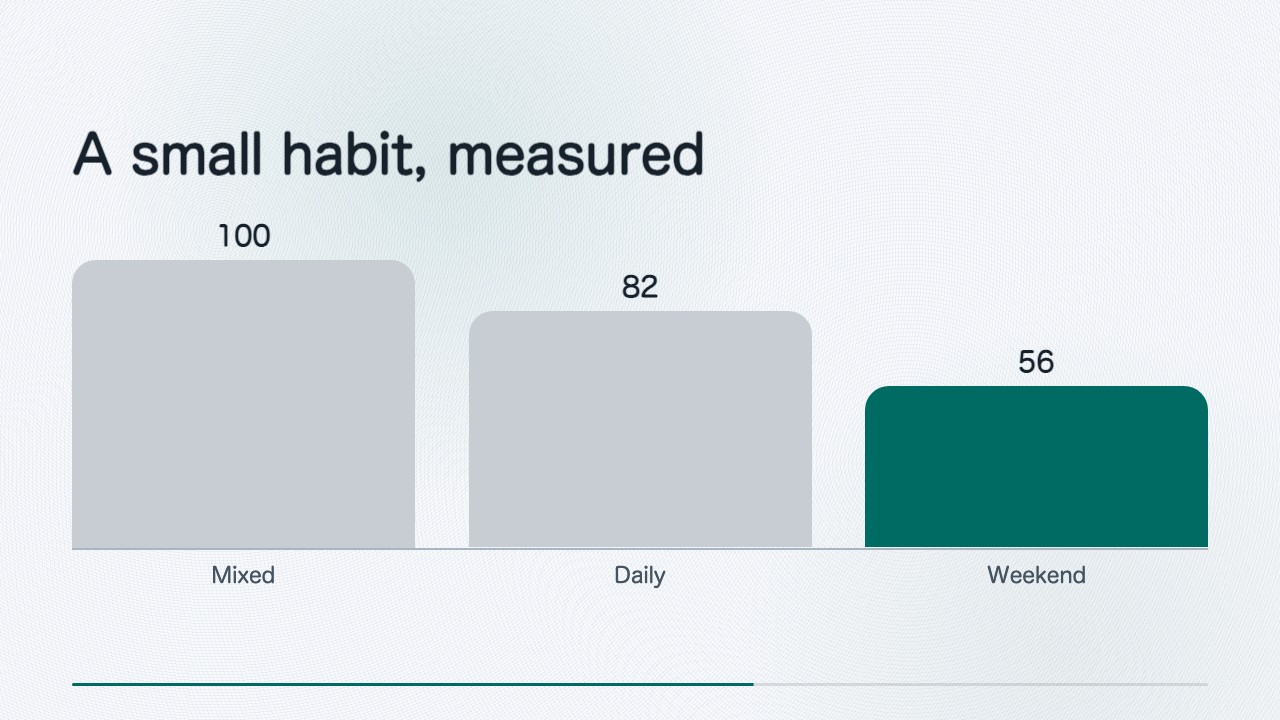 视频已验证+2
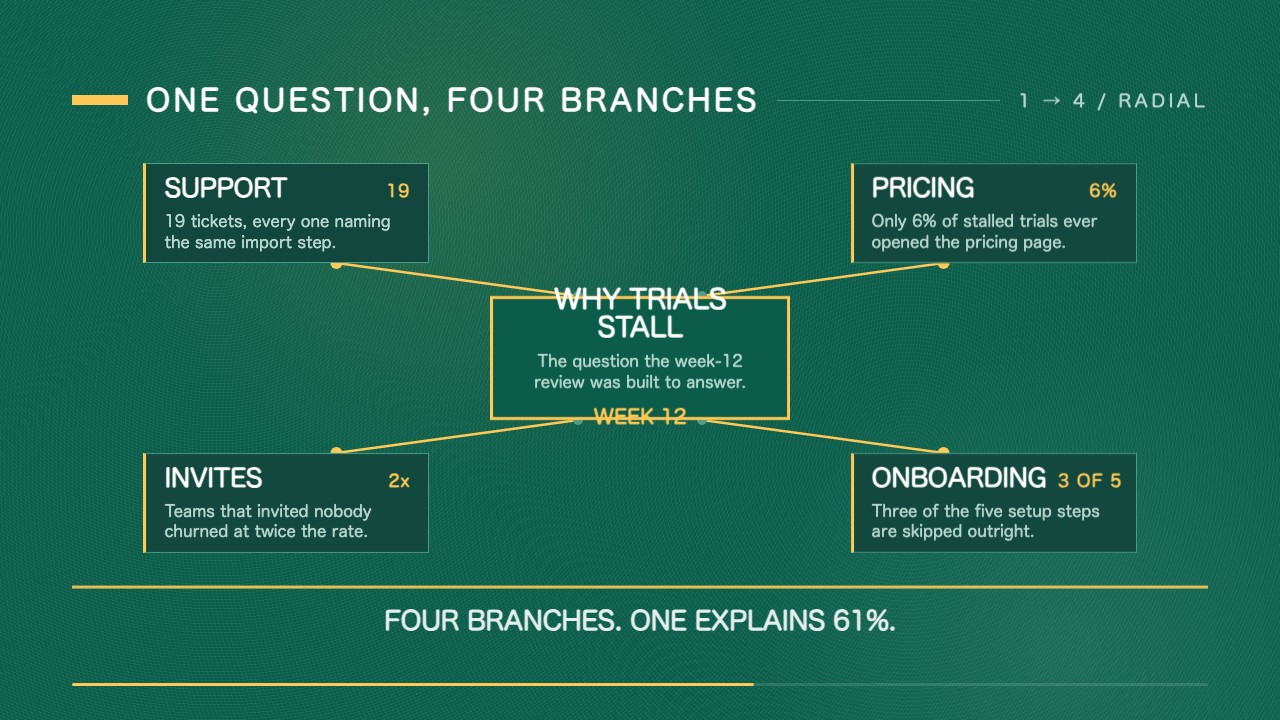 视频已验证+2
 视频已验证+2
你说
/sl-minimal-cinematic-launch-film 为本 skill 自带简报(examples/ordinly)中的虚构项目协作工具 Ordinly 制作一支 80 秒、16:9 的发布片。只依据这份简报和随附的示例分镜离线完成,所有上屏文字都要能在简报中找到出处,不使用任何付费素材,并把成片 MP4 保存在当前目录。
用同样的方式为我们的产品做一支:<你的网站网址>。
剪一个只保留两个最强章节的 45 秒版本。
为章节卡片加上生成的背景图,先给我看价格。
Free by default: everything renders locally and needs no API key. Optional background plates from the SkillLoom generation gateway (GPT Image 2, $0.14 per 2K plate, usually 3 per film) are charged to your prepaid SkillLoom key only after you approve the price table; your own OpenAI-compatible, FAL or ElevenLabs keys also work.
4.0/ 5
渲染验证分
已验证
| 真实渲染检查 | 已验证 | 4.0 / 5 | 117s |
|---|
不需要。默认全部在本地免费渲染:缺少的背景图用品牌渐变代替,产品界面按网站内容重建。生成背景图是可选项,会先列出价格,经你确认后才从 SkillLoom 预付费 key 扣费(每张约 0.14 美元)。
可以。调研时会截取网站页面,成片用镜头推进展示真实界面;页面难以截取时,会根据你的文案重建干净、带品牌色的界面。
不会。每句上屏文字都必须标注来自网站或简报的出处,数字必须原样引用,否则校验器会拦下构建。
换用了新引擎:从网址或简报调研、经过校验的分镜、15 种镜头类型、按节拍剪辑、HyperFrames 渲染(最高 4K)以及版式和成片质检。默认片长改为 80 秒(45–90 秒)。1.x 制作的工程不会自动转换。
Product URL (or brief) → research → storyboard.json → HyperFrames composition → 16:9 MP4. The scripts do everything deterministic — research, validation, timing, layout, rendering, QA. You (the agent) choose the story, write the storyboard and look at the contact sheets. $K below is this skill's folder (the one containing this file). Set it before the first command, as an absolute path:
export K="$PWD/.claude/skills/sl-minimal-cinematic-launch-film" # wherever this SKILL.md isEvery new shell starts without it: run the export again in each one (or put it in front of the command). Run every command from the user's project directory: film folders and finished MP4s belong there, never inside $K.
Only for products the user owns or may promote. For anyone else's product set meta.concept_edit: true (the end card then carries a "Concept edit" badge) and tell the user.
| Need | Notes | |---|---| | Node.js 22 or newer | node -v | | FFmpeg and ffprobe on PATH | Use your system's package manager: brew install ffmpeg, sudo apt install ffmpeg or winget install ffmpeg | | Chrome Headless Shell (recommended) or Google Chrome / Chromium | Used in this order: HYPERFRAMES_BROWSER_PATH, a Chrome Headless Shell that HyperFrames already downloaded, CHROMIUM_PATH, the system Chrome / Chromium. Run HYPERFRAMES_NO_TELEMETRY=1 DO_NOT_TRACK=1 "$K/node_modules/.bin/hyperframes" browser ensure once (about 100 MB): a full desktop Chrome can give the film a page shorter than 1080 px (Chrome 156 does), which would end every frame in a black band — doctor checks this (render page 1920×1080) and render refuses such a browser. | | Optional: Python fontTools | pip install fonttools brotli subsets fonts per film; without it the full bundled fonts are copied (same look, about 2 MB more per film). | | Disk | about 200 MB for the npm dependencies (installed into $K), about 200 MB for Chrome Headless Shell (in ~/.cache/hyperframes, once); per film folder 10-110 MB (research screenshots and downloaded site images are most of it: a 4-page site measured about 90 MB, a brief-only film about 11 MB) plus the MP4 next to it, 4-50 MB at 1080p (21 MB for that 80-second site film). | | Time | first install 0.5-2 minutes; research 1-3 minutes for a 4-6 page site (170 s measured for 4 pages); an 80-second film then takes about 1-3 minutes from storyboard to validated 1080p MP4 on a recent laptop (about 1 minute on a fast one), roughly 4× longer at 4K. |
First-time setup, once per installed copy:
cd "$K" && npm ci --no-audit --no-fund && cd -    # HyperFrames, GSAP, Playwright core, Ajv … pinned by package-lock.json
node "$K/scripts/doctor.mjs"                        # → "ok": true (optional items may be missing)
If doctor reports no Chrome or render page 1920×1080 FAIL, run HYPERFRAMES_NO_TELEMETRY=1 DO_NOT_TRACK=1 "$K/node_modules/.bin/hyperframes" browser ensure once (it downloads Chrome Headless Shell, about 100 MB) and run doctor again. Do not render before doctor is ok.
Film folder: ./<slug>-film/ in the project directory (create it).
optional length (default 80 s; 45-90 s; up to 120 s only if the user explicitly asks), language (default: the site's), resolution (1080p default, 2k, 4k), accent colour, the user's own music file, whether paid media is wanted (default: no).
node "$K/scripts/research.mjs" <url> --out ./<slug>-film/research → exit 0. Exit 2 means blocked (research/BLOCKED.md): tell the user and ask for a written brief or screenshots + copy; never fill gaps with invented content. Research captures the site in one language: the site's own by default (its <html lang>), or the one you ask for with --locale <code> (zh-CN, en-US, ja-JP …). The summary's Languages line lists what the site offers (a language switch, hreflang pages, or a site that follows the browser's language). The film's language must be the research's language: when the user wants a film in a language the site offers but research did not capture, run research again with --locale <code> into the film's research folder before writing anything — copy, screenshots and ids all change with the language. When the site does not offer that language, validate cannot check the words of a translated line against the cited copy (it warns once and still checks every number): each line must say only what the cited copy says. No website? Write the brief as Markdown (format and example: $K/examples/ordinly/brief.md) and run node "$K/scripts/brief.mjs" <brief.md> --out ./<slug>-film/research.
./<slug>-film/research/research.summary.md — a short overview (product name, languages, accent, logo candidates, headlines, numeric facts, images, screens). When you write or check a line, look its source up in ./<slug>-film/research/copy.md: every copy fragment with its id and complete text — headings, paragraphs, and every other visible text as ui_label (labels, badges, tags, buttons; citable like the rest) — then the elements (el:N), sections (sec:N) and images with the copy next to them. copy.md is long (a 6-page site: about 900 lines, 140 KB): search it rather than reading it whole — grep -n "Pricing" ./<slug>-film/research/copy.md, grep -n "el:" … for the elements. Open research.json only for details neither file has. Check the three brand facts research guessed — they are auto-detected and every shot uses them:
research/screens/[email protected]) and the swatches (research/brand/accent-candidates.png); use the colour the site's buttons and links really have (brand.accent), not a framework default.
(og:image, wide pictures with text) are not logos. Research keeps transparency, and a square image the page shows with rounded corners is saved with those corners. Where a logo does not read on the dark cold open or the light end card, research writes a variant next to it and the summary lists it under the candidate: on dark a white silhouette research:brand/logo<N>-on-dark.png (use it as cold_open.logo), on light an ink one …-on-light.png (use it as brand.logo). A logo that carries its own plate (an app-icon badge, a dark tile with white lettering) reads on any background and needs no variant — it is judged by its mark on its plate. None usable → ask the user for a transparent PNG or SVG and set brand.logo: "user:/absolute/path/logo.png" (validate checks the contrast where each logo is shown).
Then check the copy you will cite against itself: prices in one currency, the same model and product names, the same counts everywhere. A site can contradict itself (a model named in one line and missing from the catalogue, one price in $ and another in ¥ next to "Prices are shown in USD"); never pick one silently — keep to lines that agree and tell the user what contradicts what in your final report (validate notes cited copy that mixes currencies). Tell the user in two or three lines the film's one-sentence message and the 3-5 pillars you picked (a progress note, do not wait for an answer).
./<slug>-film/storyboard.json following references/story-grammar.md and references/scene-catalog.md (contract: spec/storyboard.schema.json; complete 80-second example: examples/ordinly/storyboard.json; every scene type: examples/scene-gallery/storyboard.json, with Chinese type: examples/scene-gallery-zh/storyboard.json). File references (research:, media:, builtin:icon/…, user:) are listed in the scene catalog under "Asset references". Frame UI shots by research item rather than by measuring pixels: "camera": [{ "at_beat": 0, "target": "el:12" }], and node "$K/scripts/rect.mjs" ./<slug>-film --text "<words on the page>" (or --id el:12, --selector <part>) prints the camera key and writes a framing preview to qa/frame-<id>.png; the frame shows 1.2× a 16:9 rect. Every camera key is judged exactly as QA judges the rendered frame: its edges fall between lines of text and between boxes (no card, field, button or image cut in half or flush with the edge), and the screenshot fills the frame or floats whole in it — never a strip of background beside it. Targets do all this by themselves; for a hand-written rect validate prints one that does. For a wide view of a section, frame the full-page screenshot with target: "sec:N" when the section is about 16:9 or taller; a wide, short section shows its neighbours there (validate warns) — use its own crop research:screens/p<N>-sec<M>@2x.png with "frame": "none". The three frames: window (default, a rounded window with a title bar), browser (a bar with the site's address), none (the bare screenshot, rounded, with a shadow). More rules: text typed onto a static screenshot (type_text) is set at the field's own font size (at most 1.25×, from research) and must fit the field — shorten it when validate says so — and must not contradict what the screenshot shows (a typed search next to the old result count): if it cannot match, do not type, or mark it concept: true; the site's own showcase images may appear (montage, pill_burst), but nothing carrying another company's logo; end card decor takes transparent stickers or illustrations, not screenshots (an opaque picture is laid flat in a corner and validate warns). Then node "$K/scripts/validate.mjs" ./<slug>-film --stage plan --production → 0 errors. It measures every line with the real fonts (too long even at the smallest size is an error; a little too long shrinks and is reported), checks logo contrast where each logo is shown, frames that cut text, and reports fields that are set but not drawn. Warnings about words not found in the cited copy deserve a second look.
node "$K/scripts/plan-media.mjs" ./<slug>-film prints what the film needs. With the defaultoffline providers nothing is paid: missing plates become a brand gradient and the film uses rebuilt UI and a silent beat grid (or the user's music). Paid media is optional — see "Paid media" below.
node "$K/scripts/validate.mjs" ./<slug>-film --stage build --production → 0 errors. With music: node "$K/scripts/beats.mjs" ./<slug>-film; on a "phase may be ambiguous" warning tell the user and offer music.beat_offset: 0.5.
node "$K/scripts/build.mjs" ./<slug>-film (it prints every duration it set by itself as adjust lines) → node "$K/scripts/qa.mjs" ./<slug>-film --stage layout --every 1 → 0 errors. **Open ./<slug>-film/qa/sheet-layout.png (one settled frame per shot) and the qa/sheet-layout-every-1s-*.png sheets (one frame per second: entrances, holds and camera moves) and look at them.** Each frame's label sits on a strip under it, so the frame's edges stay visible; to judge an edge at full size open ./<slug>-film/qa/frames/<NN>-<shot>-<k>.png (NN = the shot's index from 00, k = 0 once the shot has settled, 1 mid-hold). Fix against references/qa-checklist.md and rebuild; at most 3 rounds, then stop and explain what is left. A scrubbable preview for the user: "$K/node_modules/.bin/hyperframes" preview ./<slug>-film/film.
node "$K/scripts/render.mjs" ./<slug>-film (1080p; --res 2k or --res 4k on request) writes the film to ./<slug>-launch-film.mp4 → node "$K/scripts/qa.mjs" ./<slug>-film --stage final --every 1 → 0 errors; look at qa/sheet-final-every-1s-*.png, the rendered film one frame per second.
node "$K/scripts/validate-video.mjs" ./<slug>-launch-film.mp4 --min-seconds 45 --max-seconds 90 (--max-seconds 120 for an explicitly requested long film) → PASS.
qa/sheet-final.png, the accent /name / logo you used (and that they were checked), and anything on the site that contradicts itself.
node "$K/scripts/run.mjs" ./<slug>-film --production --every 1 runs steps 4 (check) to 8 in one go when no paid media is involved; it stops at the first failing step.
When the request says the run is automated or non-interactive, or nobody answers:
gen-media.mjs or any paid provider; keep the default offline configuration. this and for automatic checks: ``bash cp -R "$K/examples/ordinly" ./ordinly-film node "$K/scripts/run.mjs" ./ordinly-film --production # → ./ordinly-launch-film.mp4 (about 79 s) node "$K/scripts/validate-video.mjs" ./ordinly-launch-film.mp4 --min-seconds 5 --max-seconds 90 ` ordinly-film/storyboard.json already follows every rule; adapt it to the request (copy must still cite copy:N ids from ordinly-film/research/research.json`) and run the same commands.
Every folder under examples/ is a complete film folder (storyboard, research, assets) that validates with --production and builds from a fresh install: no network, no paid media, nothing else to download.
| Folder | What it is | |---|---| | examples/ordinly/ | 80-second film for the fictional product Ordinly, written from a brief (rebuilt UI, no screenshots) | | examples/scene-gallery/ | all 15 scene types in English, about 72 s | | examples/scene-gallery-zh/ | the same grammar with Chinese type, about 48 s |
cp -R "$K/examples/scene-gallery" ./gallery-film
node "$K/scripts/run.mjs" ./gallery-film --production          # → ./tandem-launch-film.mp4 (named after meta.product)
The galleries use generated placeholder media: a gradient plate and clip in engine/builtin/placeholder/, and for the English gallery wireframe screenshots and plain mascots in its research/ folder. They show how each scene behaves, not a product. For a real film, research the product (or write a brief) and cite its own screenshots.
Plates (background images), b-roll and music can be generated. Providers live in config/providers.example.json (all offline by default); pass a config with --config to both plan-media and gen-media.
| Provider | Makes | Key | Price | |---|---|---|---| | skillloom (config/providers.skillloom.json) | plates | your SkillLoom generation key: SKILLLOOM_API_KEY + SKILLLOOM_BASE_URL (or npx skillloom doctor --write-env) | GPT Image 2 at the gateway's per-image rate: $0.04 (1K), $0.14 (2K, used for 1080p), $0.18 (4K) | | openai-images | plates, characters | your own OPENAI_API_KEY (any OpenAI-compatible endpoint) | fill in your rate first | | fal | plates, b-roll, music | your own FAL_KEY | fill in your rates first | | elevenlabs | music | your own ELEVENLABS_API_KEY | fill in your rate first | | user-files | any | — | free: the user's own files (params.file) |
node "$K/scripts/plan-media.mjs" ./<slug>-film --config <config> prints the approval table: each asset, theshots that use it, provider, unit price × quantity and per-currency totals. A job without a price is "unpriced" and gen-media refuses the whole plan; fill in the provider's real price, never guess.
node "$K/scripts/gen-media.mjs" ./<slug>-film --config <config> --approve <hash12> --max-usd <n>, plus --confirm-paid when the plan uses the SkillLoom gateway. In sessions that skip permission prompts, hand the command to the user instead of running it yourself.
gateway task that is still running is resumed (not paid again) when the same command runs again.
The user says no → stay offline; replace any broll_caption shot with ui_shot or montage.
./<slug>-launch-film.mp4 in the user's project directory — the only copy of the film (renders/summary.json records where it is; nothing is duplicated inside the film folder): H.264 (High), yuv420p, 1920×1080 (2560×1440 or 3840×2160 on request), constant 30 fps, 45-90 s (default 80 s; up to 120 s only on explicit request); with music an AAC 48 kHz stereo track at about -16 LUFS integrated and a true peak at or below -1 dBTP, silent otherwise. It passes node "$K/scripts/validate-video.mjs" <mp4> --min-seconds 45 --max-seconds 90.
./<slug>-film/film/index.html: the editable HyperFrames composition, one <section data-start=".." data-duration=".."> per shot with frame-exact timing (cuts land on the beat grid).
./<slug>-film/storyboard.json (every on-screen string carries source_ids into the research or brief copy, or is an allowed style word), qa/sheet-layout.png, qa/sheet-final.png (plus the --every sheets), qa/beat-table.md, qa/report.json.
source_ids (or concept: true for purelyillustrative UI chrome, which may not contain digits); validate rejects any number not quoted verbatim.
write them to files.
film/: change storyboard.json and rebuild.Translate requests into storyboard edits, then build → qa layout → render. "Tighter UI shot" → camera targets, rects or beats (scripts/rect.mjs previews the framing); "different closing line" → the closing statement (still sourced). Media regenerates only when its prompt or parameters change (content-addressed cache); new paid items go through the approval step again.
| Symptom | Fix | |---|---| | doctor: no Chrome | Run HYPERFRAMES_NO_TELEMETRY=1 DO_NOT_TRACK=1 "$K/node_modules/.bin/hyperframes" browser ensure once (or set HYPERFRAMES_BROWSER_PATH to a Chrome Headless Shell) | | doctor render page 1920×1080 FAIL / render: gives the film a … page instead of 1920×1080 | The browser found is a desktop Chrome that crops the page: run HYPERFRAMES_NO_TELEMETRY=1 DO_NOT_TRACK=1 "$K/node_modules/.bin/hyperframes" browser ensure once, then doctor and render again | | qa final: a pure-black band runs along the … edge | The film was rendered by a browser that cropped it: as above, then render again | | browser ensure fails to download (proxy, firewall) | Behind a proxy add NODE_USE_ENV_PROXY=1 (with HTTPS_PROXY set) and run it again; or install Chrome Headless Shell yourself (googlechromelabs.github.io/chrome-for-testing) and set HYPERFRAMES_BROWSER_PATH to its binary. Do not fall back to the desktop Chrome when doctor fails render page 1920×1080 | | research exit 2 | The site blocks automation or is empty: ask for a brief (scripts/brief.mjs) or screenshots + copy | | validate: its fill is var(--…) on a logo | The SVG took its colours from the web page's CSS and draws nothing as an image. Re-run research (it saves logos with the page's colours frozen in) or use another candidate from the summary | | qa layout or validate: logo … only 0.0% of the logo box shows anything / logo contrast … / visible mark is only … px | Contrast below 3:1 is an error, below 4.5:1 a warning: pick a candidate visible on that background, or give the dark cold open a light version (cold_open.logo); a file that is mostly empty margin shows a small mark — crop it or pick another | | qa layout: the space between "A" and "B" is lost or renders … px wide but was measured at … | Words are drawn in another font than they were measured with. Rebuild; if it persists, report it with film/index.html and qa/report-layout.json | | qa layout: text "X" overlaps "Y" | Two lines' glyphs really collide: shorten or split one, or pick another layout | | qa layout: montage item N: the image leaves … px uncovered | The image's size could not be read correctly: use a PNG / JPEG / WebP screenshot or image from research | | qa layout warn: rendered font … < 28px inside a ui_shot | Words of the screenshot itself are small at this camera scale: fine for a layout overview; zoom in (camera target or rect) when they must be read. The browser frame's address field is window chrome and exempt | | qa final warn: only N% of clearly visible planned cuts were confirmed | Hard cuts between two light frames are a known blind spot of the scene detector; the frame-difference check confirms most of them. Fine to accept when qa final has 0 errors (so every detected cut is on a planned frame), the listed frames look like clean cuts in a qa.mjs --stage final --every 1 sheet, and nothing else is reported for them; otherwise rebuild and render again | | build prints adjust end_card …: 16 → 18 beats | With music the end card is nudged onto an 8-beat phrase; set music.phrase_align: false to keep your length. Without music nothing is nudged | | build prints stat …: no bars | The card's values are not numbers in one unit (or the text is not a "<label> <number>" list): add bars with comparable values, or leave the card without bars | | validate: … is N px wide at … — even at the smallest size … shorten it (about N characters fit) | Shorten the line (scene-catalog.md "How much text fits"); a little too long only shrinks it and is printed as set at …px | | validate: rect […] cuts text at the frame edge / qa: the frame edge cuts text in half | Use the rect validate suggests, or target (it keeps whole lines); the frame is 1.2× a 16:9 rect | | validate / qa: the frame edge cuts a card (field, button, image …) in half | Same rule for boxes: use the suggested rect or a target that includes the whole card (or leaves it out) | | validate / qa: the frame shows background beside the screenshot | The frame is a little wider (or taller) than the screenshot: use the suggested rect — it fills the frame — or show the whole window (rect = the full screenshot) | | validate / qa warn: N% of the frame shows other parts of the page | A wide, short section on the full page: frame fewer items, or its section crop (…-sec<M>@2x.png, "frame": "none") as the warning says | | validate / qa warn: the target fills only … / sits off-centre | The target is tiny (zoom stops at 2×) or at the screenshot's edge: frame it with the items around it | | validate: … (type_text in a … field): … shorten it / qa: the typed text … runs … out of its field | Typed text is set at the field's size; shorten the text | | validate warn: decor … is an opaque picture / qa: decor … shows only N% of itself | Use transparent stickers or illustrations as decor (screenshots go in a montage) | | qa warn: the card's rows use only N% of its width | Only when the card was changed by hand: list cards follow their rows; rebuild | | qa warn: the line's ink sits N px … of the centre | Only when the page was changed by hand: centred lines leave out a trailing full-width 「,」; rebuild | | validate: language: storyboard … vs site … | Research is in another language than the film: run research again with --locale <film language> when the summary's Languages line offers it | | qa layout: the subject fills only … / the cards fill only … / sits off-centre | Frame the subject centred and closer (camera rect / target); lists and checklists are centred blocks whose rects validate prints | | qa layout: the circle on "…" runs through … | Circle whole words that have spaces around them; in CJK use squiggle | | validate: … is set but not used … | The scene, layout or overlay kind does not draw that field: remove it, or use one that does (scene-catalog.md) | | validate: pan_down … capped at 150 px/s / pan_right … becomes a slow push | Pans stay readable: crop the part you want (a section screenshot), give the item more beats, or use push_in | | validate info: the cited copy mixes currencies | Check that the prices you show agree; tell the user if the site contradicts itself | | production films must be 45-90 s | Change beats or shots; 120 s only with meta.long_form: true on explicit request | | music too short | Ask for a longer track; phrase alignment is skipped automatically when it cannot fit | | render audio_processing_failed | Rebuild (music is preprocessed to FLAC); check the source with ffprobe | | gen-media refused | Read the reason: no approval, plan changed, unpriced or blocked job, missing budget, missing --confirm-paid, provider not ready | | validate-video FAIL | The line says which check failed (codec, size, frame rate, duration, blank or frozen picture, loudness); fix and render again |
references/story-grammar.md · references/scene-catalog.md · references/style-guide.md · references/media-prompts.md · references/qa-checklist.md · references/third-party-notices.md · scripts/ (doctor, research, brief, validate, rect, plan-media, gen-media, beats, build, qa, render, run, validate-video) · engine/ (runtime, scenes, components, fonts, placeholder media) · spec/ (schemas, tokens) · examples/ (ordinly, scene-gallery, scene-gallery-zh) · config/.
2.0.2 — renders no longer lose the bottom of the picture on a desktop Chrome. Chrome 156 gives the film a 1920×993 page, which ended every frame in an 87 px black band: render now checks the page size first and stops with the fix (hyperframes browser ensure, Chrome Headless Shell), doctor reports it (render page 1920×1080), a cached Chrome Headless Shell is preferred over CHROMIUM_PATH, and qa final fails a film with a black band along any edge.
2.0.1 — chapter dividers draw only the focus word and two rows either side, so no word is ever cut off at the top or bottom of the frame. scripts/validate-video.mjs accepts full-range 8-bit 4:2:0 video (yuvj420p, as some FFmpeg builds write image sequences) with a note and the command to convert it, instead of failing it; 4:2:2, 4:4:4, 10-bit and RGB still fail.
2.0.0 — a new engine replaces the fixed 1.x template (one 48-second, ten-scene HTML/CSS composition in a single green palette rendered by a frame-capture script). What changed:
storyboard.json (schema + two-stage validator) from real research of a product URL or awritten brief; every on-screen line is checked against its source.
plates, icon lines, montages, b-roll captions, end card), coloured by the product's own brand accent.
loudness normalisation); 1080p, 2K or 4K; default length 80 s (45-90 s).
readable type, overlapping lines, words rendered as measured, visible logos and fully covered frames, plus a video validator for the delivered MP4.
camera.target, previewed with scripts/rect.mjs) with frame edges betweenlines of text and boxes, the screenshot filling the frame or floating whole, and validate and QA judging every framing with one shared geometry; stat cards draw bars only when their values can be compared, in proportion; research saves logos as they look on the page (transparency and rounded corners kept, light / dark variants where needed) and a complete copy list including every visible label, badge and button.
is an error), checks logo contrast and size where each logo is shown, frames that cut text, montage pans, and fields that are set but not drawn; QA adds composition, cut-text and annotation checks.
default), logos from the header and the site icons (social banners are listed apart), and the product name from several sources — all marked for the agent to check; it captures the site's own language or the one asked for (--locale) and lists the languages the site offers.
a phone; a generic phone frame with a safe status bar; exact accent colouring and ink-centred CJK lines; accent text on glass cards kept readable.
your own keys); the default stays free and offline.