ImageFree Verified

Dark Green Flat Silhouettes OG Image

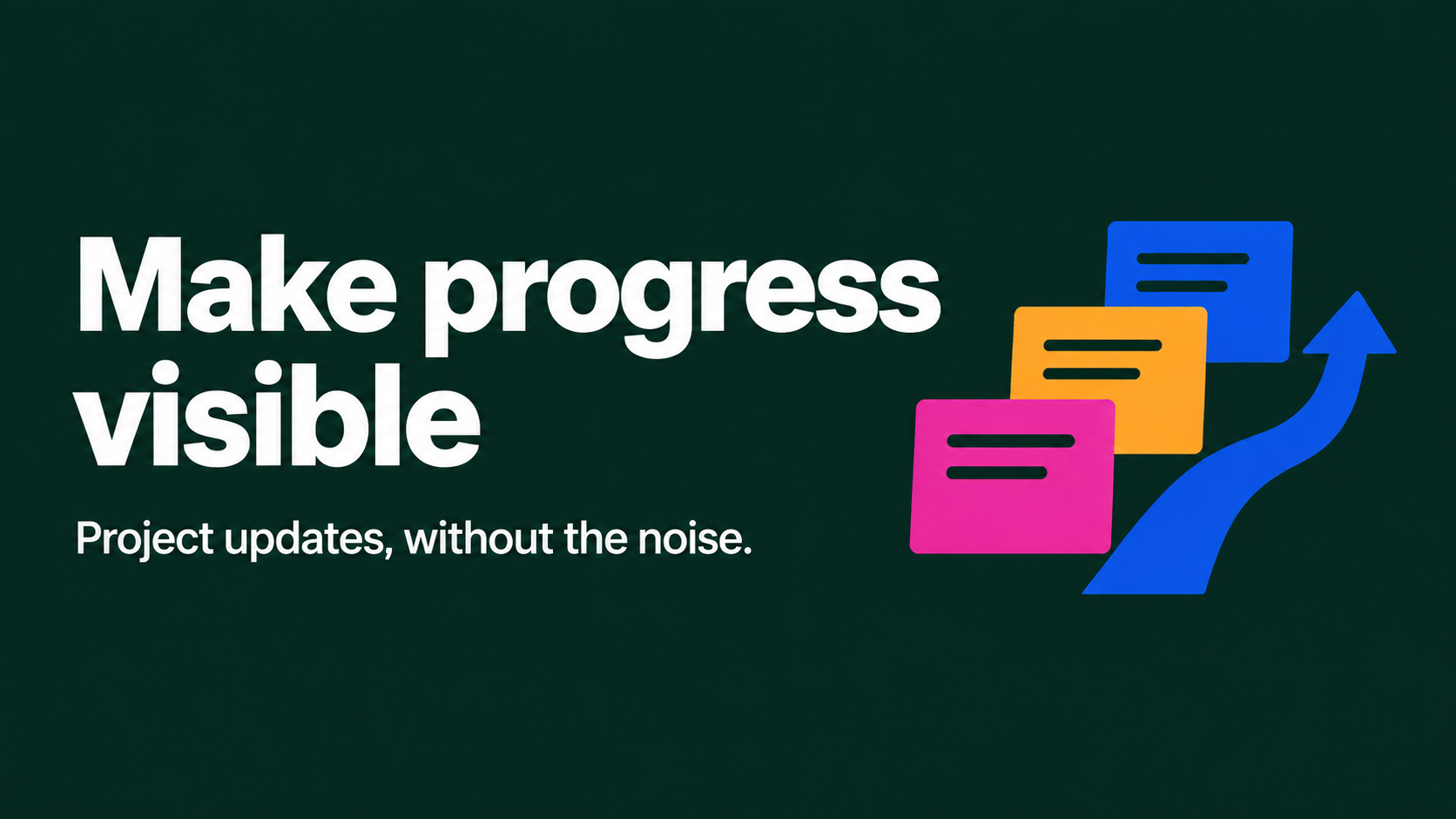
A high-impact social sharing image with oversized white type, flat silhouettes, and vivid accent blocks on deep green. Use it for product launches and web publishing when the headline must stay exact, legible, and visually consistent across a series.

sl-dark-green-flat-silhouettes-og-image sample output

What you get

  • One 16:9 OG image with an intentional safe area for link-preview crops.
  • A locked deep-green, white-type, flat-silhouette visual system.
  • A concise composition centered on the supplied headline.

Good fit

  • Product launch announcements and social link previews.
  • A repeatable visual series for a creator or product project.

Not for

  • Detailed editorial layouts with several paragraphs of copy.
  • Photographic campaigns or logo-accurate brand artwork.

What you provide

  • Exact headline text and preferred capitalization.
  • Product or project name and a short description.
  • Optional silhouette subject or supporting phrase.

Requirements

  • Node.js 20+
  • A SkillLoom generation key (prepaid)

Running cost

Each image is generated with your prepaid SkillLoom generation key (about $0.05 per image at 1K). Subscriptions do not include generation credits.

A typical run costs about $0.05 at sub2api prices, charged to your prepaid key.

Try this prompt

/sl-dark-green-flat-silhouettes-og-image Create a 16:9 social sharing cover for Fieldnote, a simple project update tool. Use the exact headline "Make progress visible" and supporting phrase "Project updates, without the noise." Show flat silhouettes of stacked notes and a rising path. Keep the established dark-green and white style with restrained magenta, orange, and cobalt accents.

Follow-up prompts

  • Make the headline larger and simplify the silhouettes.
  • Keep the same visual system, but use a calendar silhouette for the next launch image.

Verification

Verified

render-checkpass5.0 / 567s

FAQ

Will the headline be reproduced exactly?

Yes. Provide the final wording and capitalization. The image prompt prioritizes exact spelling and does not invent extra copy.

Can this be used for a series?

Yes. Keep the deep-green field, oversized white type, silhouette treatment, and accent-color roles consistent across images.

SKILL.md

SKILL.md

Dark Green Flat Silhouettes OG Image

Make a bold, readable OG image that pairs oversized white type with a distinctive arrangement of flat silhouettes on deep green.

Style: Green Silhouette Blocks. Graphic and confident, with monumental white type grounded by playful, sharply cut silhouettes and precise color accents. Follow references/style-guide.md exactly.

Use this skill when

  • Product launch announcements and social link previews.
  • A repeatable visual series for a creator or product project.

Do not use

  • Text-heavy announcements that need multiple claims, feature lists, or fine print.
  • Photorealistic product imagery, portraits, or brand-specific logo reproduction.
  • To reproduce another company's brand, logo, product UI or copyrighted characters.

Inputs

  • Product or project name and a short description of what it does
  • Exact headline text, including preferred capitalization
  • Optional supporting phrase and desired silhouette subject
  • Optional series color or composition preference; preserve the locked green system

If something essential is missing, ask one short question before starting. Never invent facts, numbers, quotes or customer names; mark gaps as [needs source].

Workflow

  1. Collect the brief fields listed in references/prompt-framework.md. If any text will appear in the image, confirm it letter by letter and freeze it.
  2. Build the prompt with references/prompt-framework.md, following references/visual-system.md for subject, composition, light, palette and the text policy. Write it to prompt.txt.
  3. Check that the generation key is configured: SKILLLOOM_API_KEY and SKILLLOOM_BASE_URL (run npx skillloom doctor --write-env if not).
  4. Tell the user the image is paid from their prepaid key (see the cost note) and get explicit approval.
  5. Generate one image. The task id is saved first, so re-running the same command resumes instead of paying twice:

``bash node scripts/generate.mjs --prompt-file prompt.txt --output image.png --task-file image-task.json --confirm-paid ``

  1. Run the validator and fix every problem it reports:

``bash node scripts/validate-image.mjs image.png ``

What makes this excellent

  • Identify the one message that must survive a small social preview; use the supplied headline verbatim and omit nonessential copy.
  • Choose 2-5 simple silhouettes that make the product category recognizable without depicting a real person or brand.
  • Arrange silhouettes as bold, interlocking blocks that balance the headline rather than compete with it.
  • Keep white type and the dark-green field dominant; distribute magenta, orange, and cobalt accents sparingly.
  • Use a 16:9 composition at a minimum width of 1200 pixels and keep key elements in the central safe area.
  • For a series, retain the same green background, headline scale, silhouette treatment, and accent-color roles.

Output contract

  • One PNG at 16:9, at least 1200px wide, following the visual system; any approved text spelled exactly.
  • No logos, watermarks or real people's likenesses unless the user owns them.
  • A hand-off note with the final prompt, the task file path and the validator output.
  • Deliver one 16:9 image at 1200 pixels wide or greater, suitable for social link previews.
  • Render the requested headline exactly; do not add invented logos, labels, or supporting claims.

Reference demo and agent run

The preview image was generated from the sample brief in scripts/image-spec.json. In a real run the agent fills the brief from the user's request, generates with the user's key, checks the result against the output contract (required text, ratio, no extra words) and regenerates when it misses.

Failure rules

  • If the API reports a low balance or a limit, stop and tell the user; never switch providers or keys silently.
  • If text is misspelled or the composition misses the visual system, ask before generating again. Never retry automatically; every attempt is paid.
  • Never print or store the API key in files you hand over.

Similar skills

Dark Green Flat Silhouettes OG Image · SkillLoom