 VideoVerified
Question List To Audience Motion Clip
Works with: Claude Code, Cursor, OpenCode, Codex, Gemini CLI


All premium skills for $9.99/month. Cancel anytime.
Upgrade nowUse it to make a video.
npx skillloom-cli install sl-chapter-grid-flip-motion-clip
Built for
Updated Oct 10, 2026

 VideoVerified
 VideoVerified
 VideoVerified
 VideoVerified
 VideoVerified
 VideoVerified
 VideoVerified
 VideoVerified
You say
/sl-chapter-grid-flip-motion-clip Create a roughly 11-second, 16:9 FIELD NOTES EP.14 transition for a climate-data lesson. Open on “READ THE SCALE,” then flip a 3x2 chapter grid one cell at a time: 01 READ THE SCALE, 02 COMPARE SEASONS, 03 FIND THE TREND, 04 WEIGH THE ERROR, 05 NAME THE SOURCE, 06 WRITE THE CLAIM, each cell carrying one concrete instruction. Land the red active marker on 06, show its detail card with 06 / 06, and close on “SIX CHAPTERS / ONE SCALE / EP.14.”
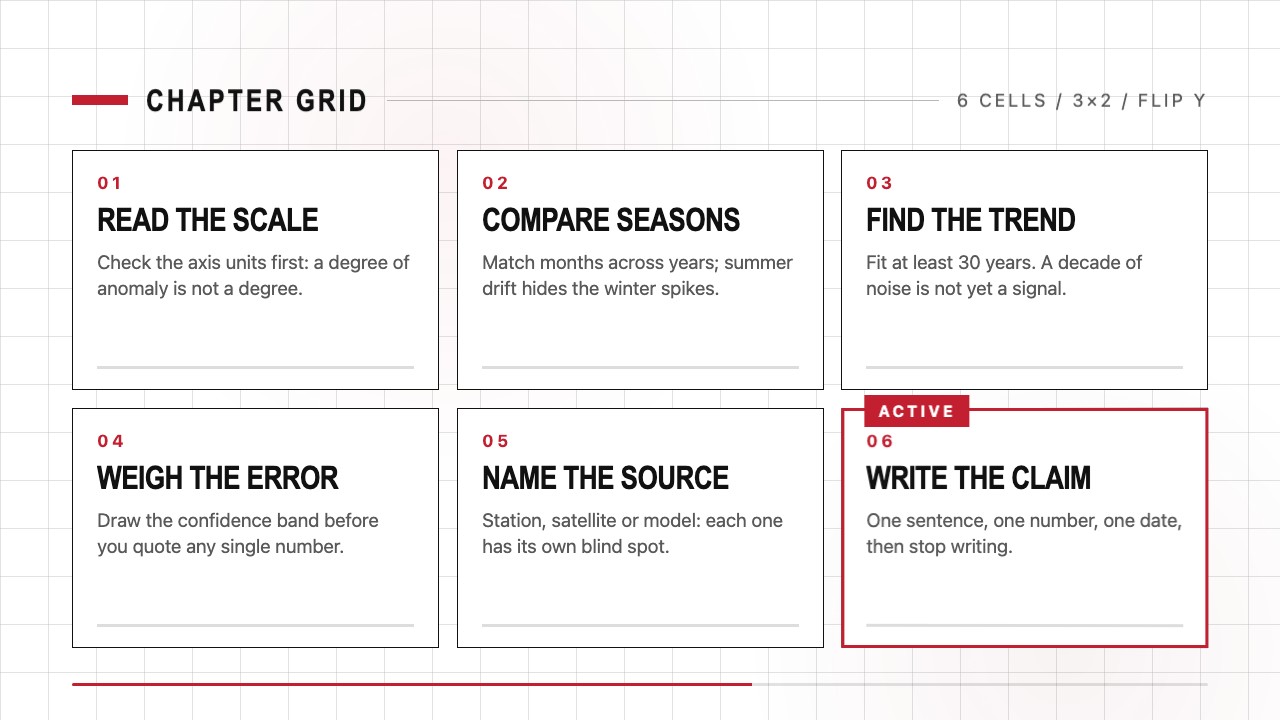
Keep the same visual system and adapt the timing for a 10-second clip.
Replace the chapter labels with these titles while preserving their order, grid positions, and red active marker.
No external services or generation models. Renders locally.
5.0/ 5
Render score
Verified
| Real render check | Verified | 5.0 / 5 | 29s |
|---|
Yes. The grid, type roles, marker, and motion timing are designed to stay consistent while chapter names and order change.
Yes. Edit the HTML/CSS source and render again locally; no generation model or hosted font is required.
Three to five short titles give each chapter enough screen time in a six-to-twelve-second clip.